Answers where
you’re already talking
Tag @Sundial to ask questions, dig into trends,
figure out what’s driving a number and so much more
Tag Sundial in any thread
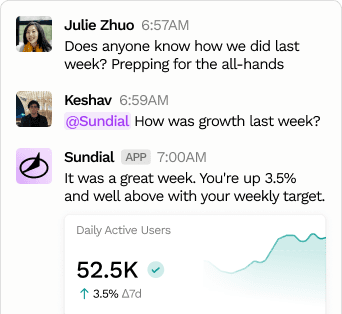
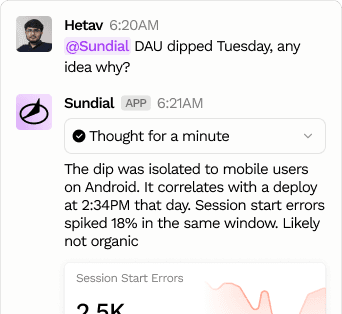
Do complex analysis, not just metric look-ups
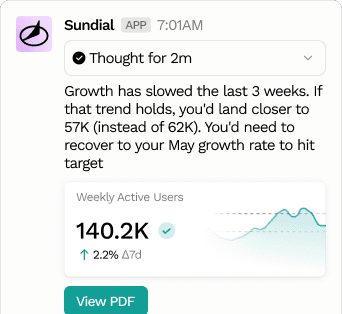
Share Rich PDFs with your teammates
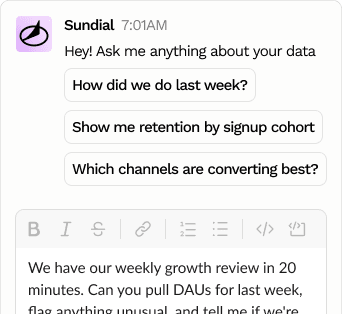
Ask questions in DMs
From questions to workflows
Get notified when a metric crosses a threshold
Set up recurring prompts that post digests, reviews, and anomaly callouts on a schedule
Export results as a table or CSV, and inspect the exact query Sundial ran to get there
and so much more...
Get started in five steps
Sign in to Sundial
or start a free trial
Open Personal Settings
from your account menu
Click “Add to Slack”
in the Slack section
Approve permissions
and select your workspace
Tag @Sundial
anywhere and ask anything
Frequently asked questions
Yes. Sundial is AI-powered, and generated answers, charts, and analyses can be inaccurate or incomplete. Treat them as a fast first pass and verify important numbers before making decisions — every reply links back to the full app so you can check the underlying query and data.
No. There’s no additional charge for using Sundial in Slack — your usual Sundial plan and usage-based pricing apply whether you ask from Slack or the web app. See our pricing page for details.
Email us at support@sundial.so and our team will help with setup, installation, or anything that isn’t working as expected.